Transformed Composite Section (Non Homogeneous Material) Properties Software
Composite Section (non homogeneous material)
Here is a brief description of how ShapeDesigner software calculates and handles composite section properties (non homogeneous material). The user interface allows specification of material properties on a per region basis. You can switch to a transformed composite section view based on a reference material. In this view, all CAD dimensions are updated to reflect the new transformed dimensions. Shapedesigner computes the transformed composite mass, volume and area. Shapedesigner also computes the stress distribution of the transformed composite section.
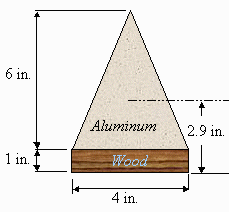
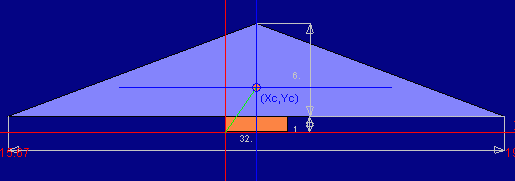 Click on the image to get an enlarged and clearer version
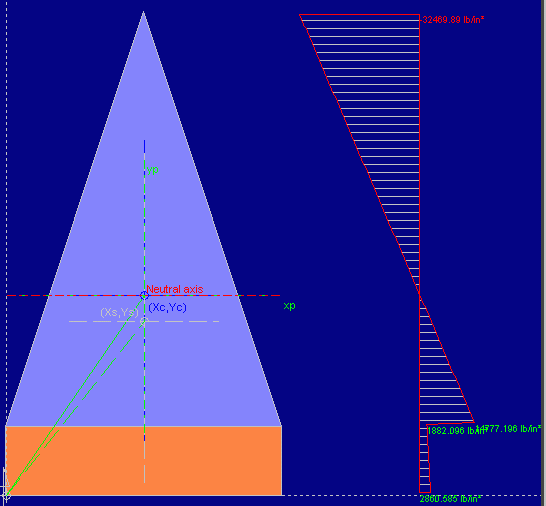 Click on the image to get an enlarged and clearer version
Download ShapeDesigner SaaS
View the ShapeDesigner SaaS release notes.
To download ShapeDesigner, simply create an account and use the download link from your account.
 Download
ShapeDesigner SaaS.
ShapeDesigner SaaS Product Page
Return to the ShapeDesigner SaaS product page.